Bitbucket
To learn more about how Steady's Bitbucket integration works, see our Bitbucket integration overview.
Set up
To set up the Bitbucket integration:
- Visit the Account Settings - Integrations page in Steady and copy the URL listed under the Bitbucket panel.
- In Bitbucket, open the repository where you want to add the webhook.
- Click Repository settings on the left sidebar.
- On the Settings page, select Webhooks on the left sidebar.
- Click the Add webhook button to create a webhook for the repository.
- On the Add new webhook page, enter Steady for the Title.
- Paste the URL that you copied from Steady into the URL field.
- Under Triggers, select Push for "Repository", Comment created for "Issue," and Created, Updated, Approved, Change request created, Merged, and Comment created under "Pull request".
- Click Save
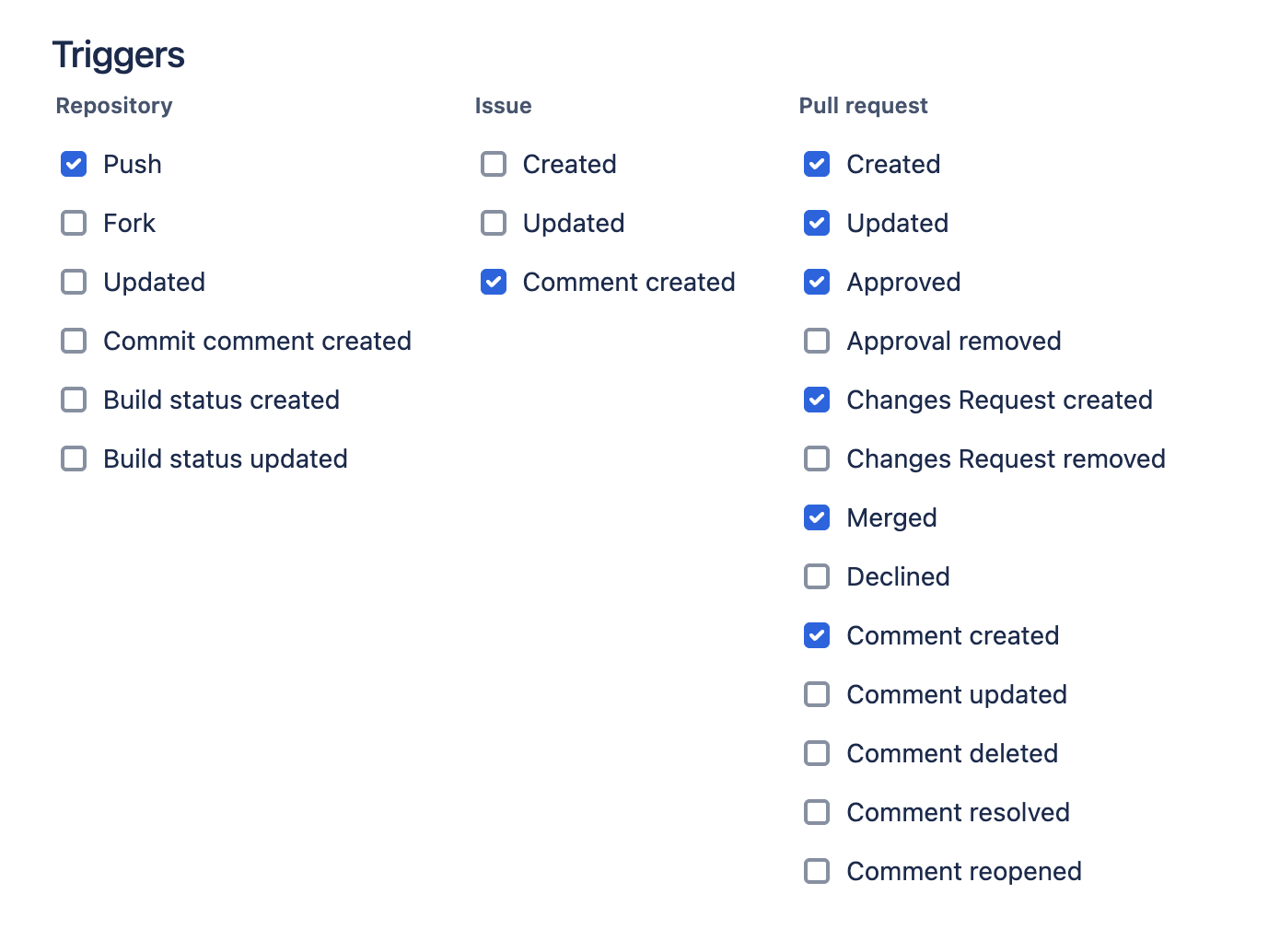
You can add as many repos as you want to your Steady team using the same webhook URL.
To test it out, make a push with a new commit in the Bitbucket repo and look for a new entry on the Activity page.
Troubleshooting
- Look for commits on the Activity page first. The check-ins on the dashboard will sum up commits from the previous period. (The check-ins essentially say "here's what I did yesterday, and here are all the commits to go along with that.")
- Make sure that the commit authors (not the person who "pushed" to the repo) match up either by their Bitbucket display name or Bitbucket username with the first and last name of the people on your team in Steady.
- The commits have timestamps that are different from when they are pushed to the repo, and we use the commit timestamps to match up with check-ins. So if you pushed commits that are a few days old to a repo, they will appear with older check-ins, or discarded if they happened before you created your Steady account or added the author as a Steady team member.
- If you are using the cloud version of Bitbucket, check to make sure the email address that is being used in Bitbucket matches the email address that is being used in Steady. If you or a team member is using a different email address in Bitbucket, set the secondary email to match the one used in Bitbucket.